6 Powerful Ways to Increase E-Commerce Brand Awareness

See the source image

An e-commerce brand’s brand awareness is crucial. Because the competition is fierce, you need people to know who you are, what you stand for, and your products.

A strong brand helps increase revenue, hire new employees, and attract new investors.

Here are 6 ways to increase brand awareness

  • Throw in some free merch
  • Do a giveaway
  • Send PR kits
  • Make use of Content marketing
  • Use social media to market
  • Try SEO
  1. Throw in some free merch

Offer free company merch like stickers, hoodies, stationery, or other apparel to your first or loyal customers. These customers then become your brand’s micro-ambassadors, spreading the word about you.

You don’t need to invest a lot because there are many print on demand services available. Any number of objects can be created using a merch maker.

  1. Do a giveaway

Giveaways can help build brand awareness early on. Invite users to post about your brand and reward them with a free product. You can also do a joint giveaway with another brand. Assemble a clear goal. Giveaways can also increase sales. If you want to raise brand awareness, watch for an increase in traffic and clicks for branded keywords.

  1. Send PR kits

Find influencers in your niche and send them free PR kits to build brand awareness. These kits can be used for haul or review videos. Even if they don’t like everything, you can get some social media mentions.

  1. Make use of Content Marketing

Any brand seeking to raise its profile requires content. It’s not unheard of for an e-commerce brand to publish content. Many brands started adjacent pages to raise brand awareness. You can talk about makeup and trends on your main page or another page if you sell beauty products.

  1. Use social media to market

Along with a solid organic strategy that includes platform-specific content, hashtags, posting schedules, and visually appealing templates, you may need to consider paid ads.

It’s difficult for e-commerce brands with hundreds of products to creatively target the right audience. Facebook Ads Manager allows you to create dynamic ads to solve this issue. You can use the ad network to get the ad in front of the right people.

Like TikTok, Instagram now allows you to run ads in between organic content. Instagram now has Reels ads. An ad may appear between the content. You can set this as an objective when creating the ad. Instead of revenue growth, look at increased impressions and reach.

  1. Try SEO

SEO for e-commerce brands is a different animal. There are usually hundreds of products, so that must be considered, while the initial setup of the website must be good technical SEO.

All product pages should be optimized for keywords and basic on-page SEO. Off-page SEO is getting other publications to notice you and write about you or recommend your product(s) to their readers.

In Summary

Brand recognition takes time. It takes patience, strategy, and consistency. It is best to have an omnichannel branding guideline so that everyone on the team knows how to position the brand online. Staff are your greatest asset. Create an employee advocacy program that rewards sharing company news.

The value of internal links in your SEO strategy

See the source image

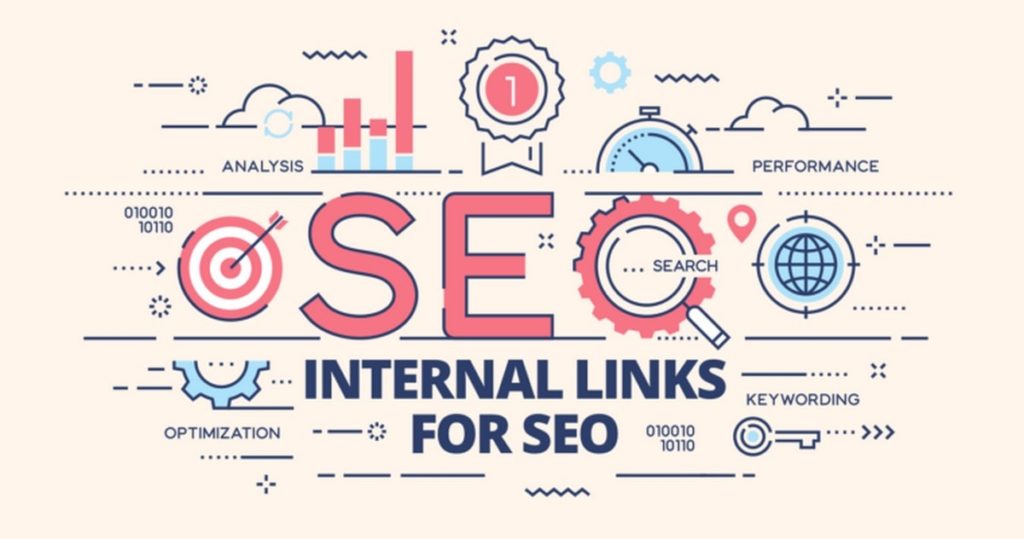
Internal link building is one of the most important aspects of SEO. Despite its effectiveness, not many websites use this technique to increase their visibility. We’ll go over how internal link building helps in various ways. But first, let’s clarify what we mean by internal links.

Internal links lead to pages within the same domain. Internal link building is when you use a link on one page to redirect readers to another page on your site. It may appear blatant self-promotion, but it is vital to the success of new pages.

  • Internal link building in Google’s eyes
  • Boosting a page’s ranking
  • It’s very profitable

Internal link building in Google’s eyes

Google makes extensive use of internal linking because it uses them to determine when a website has added new content, such as a new page on their blog. Otherwise, Google may take a long time to index your new page. Internal link building involves not only presenting new content to your users, but also to Google, thereby increasing its importance.

Boosting a page’s ranking

Internal links also benefit the page you link to, as they are one of Google’s ranking factors. So a page with lots of links to it will be ranked higher than one only accessible via the website’s interface. Internal links tell search engines like Google that a page is important and that people will want to know about it.

It’s very profitable

What is the goal of any SEO strategy or website? Sure, to make money! Internal link building is one of the most profitable ways to earn more money from your website by simply providing content regardless of SEO. Internal links allow you to direct visitors to specific pages or parts of your website, allowing you to better target your marketing efforts.

9 Ways to Get Links to Rank a Site

See the source image

Popularity of a website is determined by links. Search engines use link data to assess a page’s reputation, authority, trust, and spam. The difference between a trusted site and a spam site is the number of links. To rank a site on the first page of search engine results, webmasters must obtain trusted links. Link building is the process of earning a link.

However, earning a bad link can penalize a website. A link is not the right process for webmasters. It will not only help them rank higher but also increase traffic. Today’s web has trillions of links, and how other webmasters link is important for ranking and traffic.

Link building has many legitimate methods. However, there are some unethical methods. Also, a webmaster should pay attention to both natural and unnatural links because they affect rankings. As a result, here are a few simple steps for those who are stuck. Read them to learn how to earn links.

How to create good links:

  • Start a Blog
  • Request Link
  • Link Pages
  • Make it Easy
  • Internal Linking
  • Research Competitors
  • Niche-specific Directories
  • Build Relationships
  • Paid Directories

1. Start a Blog

Content is king when it comes to attracting links. Produce content to earn links. A blog post is a vital strategy. Webmasters need this strategy to survive in the online world.

2. Request Link

If the webmaster has good relationships with their partners or other webmasters, getting links will be easy. In this case, the business relationship can be fruitful.

3. Link Pages

Legitimate ways to earn links are pages and resources. Other webmasters can use relevant page links to increase traffic. But no one can just ask for the links.

4. Make it Easy

A webmaster should make it simple for others to link to their site. Create HTML ready snippets is one way. It will help others link to the content. They can also create pages like “link to us” or HTML at the bottom of a post using JavaScript. This option is not best for every webmaster, but it works well for niche communities.

5. Internal Linking

A website has many pages and posts and can be used to obtain natural links. It allows webmasters to control everything. Content can be redirected to related posts, bringing internal links to rank a site.

6. Research Competitors

Webmasters must research competitors to find good linking opportunities. Some links are hard to get, while others are like diamonds. Search competitors by various metrics to see who can link. For a site to rank well, it is the best strategy.

7. Niche-specific Directories

Unlike web directories, these only accept sites that meet their criteria. Because they are niche specific, they will not accept those who do not fit the niche. So it’s vital that your site meets their standards. However, some of them are free to use. Other directories may charge for use, but they are legitimate.

8. Build Relationships

The best option is to establish good business relationships with others. It will help in link building and website promotion. To get a good ranking, one should pick wise partners. Don’t trust people in high positions because they may have earned links in the wrong way. Linking to them can penalize your website, and search engines will penalize you.

So, think carefully and choose wisely. This choice is based on your market knowledge and strategy.

9. Paid Directories

There are also paid directories that accept links if a fee is paid. However, not all directories are created equal.

4 Easy Steps to Optimize Your Blog Post

See the source image

SEO stands for Search Engine Optimization and it is the art of getting a webpage ranked highly in a search engine’s results. It’s an art because it requires an understanding of how readers search for information, which increases the likelihood of a webpage or website appearing in the top few results of a search engine. This will increase site traffic, which is the site owner’s ultimate goal.

But does a higher ranking really mean more visitors? According to studies, over 94% of Google users click on a first page result, with less than 6% going to the second page and selecting a result there. So now we need to know how to optimize SEO for a blog post.

  • SEO keyword Research
  • Keywords for Tag or Blog Title
  • Over-advertising
  • Create a Niche Blog/Post

SEO keyword Research

Search engine users type keywords into search engines to find information. So, if you use these keywords correctly in your posts, your posts will eventually climb the search engine ranking ladder. You can use Google Keyword Tool to find these keywords. Enter a keyword and this free tool will generate information like related keywords, their competitiveness, and how often these keywords were used in searches. Include low competition and high search volume keywords in your blog post.

Keywords for Tag or Blog Title

Similar to the above, there are tools to help you choose tags and blog post titles. One popular tool is Google Insights, a web-based tool that compares the popularity of your keyword to other similar keywords. The phrase “tips for blog” or “blogging tips” may be used as a title, but Google Insights will show you which is the more popular search keyword and thus the better phrase to use to increase your blog post’s SEO ranking.

Over-advertising

Encouraging the search engine crawlers to ignore your blog because it is solely intended to make money is not a good idea. They may not include your content on their search pages if they associate it with low quality. So take it easy on the ads.

Create a Niche Blog/Post

But it’s not that simple. You can create a niche blog if you have a skill, talent, or service that few others have or can find online. Everything from parenting tips to health solutions and web hosting resources. All you need to do now is write more unique posts and search engines will quickly pick them up. Search engines adore niche and unique blog posts!

Top 5 Best Email Marketing Services To Boost Productivity and Reach

See the source image

Email marketing has advanced rapidly, becoming a popular option for business owners. To communicate with potential customers or clients who may have purchased from you or subscribed to your mailing list as a result of your services, you can use email marketing platforms. Direct marketing that uses bulk emails to educate and persuade potential customers or clients to take a specific action while also building relationships. At its worst, this type of marketing can alienate customers by sending frequent spam emails.

Sending out corporate newsletters, sales promotions, and subscriber-only discounts are great examples of how email marketing platforms can achieve these goals.

On their anniversary, a business owner may email customers with a 40% discount. Following a natural disaster or a company controversy, email marketing may attempt to convey a general message. Personalization helps build and maintain client relationships, leading to increased sales and customer loyalty.

Email is the most effective marketing method because it allows you to nurture your leads. People check their email daily, even if they don’t use social media for a day or two. People stop using social media but not email, so email marketing will never die. It’s also possible for your account to be suspended or deleted at any time, without prior notice. Your email list, however, is yours. No one can steal your leads.

Here are the best email marketing services for both new and experienced business owners.

  • Sendinblue
  • Mailchimp
  • ActiveCampaign
  • Klaviyo
  • Convertkit
  1. Sendinblue

SendinBlue is a powerful, easy-to-use email program for small and medium-sized businesses that want to send and automate email campaigns. Customer relationship management (CRM) and landing pages are among Sendinblue’s services. It also lets you preview your finished product to make sure it’s perfect. It’s perfect for transactional emails.

  1. Mailchimp

You’ve probably seen it online or received an email using it. Mailchimp is the most popular email marketing tool because it is free with some limitations (up to 2000 subscribers and 12,000 emails per month). Also, it provides vital audience analytics to help you improve your marketing efforts. MailChimp’s user interface is fantastic, allowing users to send emails, manage subscribers, track results, create beautiful email templates, and target subscribers.

  1. ActiveCampaign

With over 130,000 customers, ActiveCampaign has earned a reputation as a top email marketing tool. With machine learning and predictive technologies, it has the highest ROI potential. It’s not free, but it lets you try it for 14 days for free. Each email template comes with 500 automation recipes and 800 integrations. ActiveCampaign is incredibly easy to use.

  1. Klaviyo

This is a vital marketing tool that allows you to do more than just send emails. Customers use Klaviyo’s email marketing tools in conjunction with Shopify to create a holistic marketing environment. You can also provide a more personalized experience with strong automation and bulk SMS campaigns. Content management is simple and allows you to manage multi-channel client experiences from a single platform. It enables deeper and more meaningful customer interactions. It has many smart personalized features.

  1. Convertkit

This is a great option for bloggers because it is a simple email marketing platform with no unnecessary eCommerce features. ConvertKit is one of the world’s fastest growing email marketing companies. It doesn’t provide a template because you can send plain-text emails. This makes sense if you want to build a personal brand. It’s an email service provider and a landing page builder.

How To Unsubscribe From Unwanted Email From Gmail

See the source image

Your email inbox is probably full with urgent messages, shipment notices, bill alerts, newsletters you never read, and other easy-to-ignore correspondence.

Spam, on the other hand, finds its way in. You can enter your email address to win a contest if you do it yourself. Others will sometimes do it for you. Fortunately, there are simple methods for deleting unwanted emails; let us show you how….

It’s simple to unsubscribe from Gmail subscriptions since the popular email service recognizes subscription emails automatically and labels them appropriately, keeping them out of your inbox.

To display only subscription emails in Gmail, follow the steps below:

  • Go to your Gmail account and sign in.
  • From the left pane, choose categories.
  • Select one of the categories where your subscription emails will be sent automatically (Social, Promotions, and so on).
  • It’s simple to unsubscribe from subscription emails now that you only see them:
  • To open any subscription email, simply click on it.
  • Next to the sender’s name and address, look for the Gmail unsubscribe link.
  • To opt out, click the unsubscribe link and confirm your decision.
  • You’ll be sent to the sender’s website, where you may make one final update to your subscription selections.

Unsubscribing from Gmail subscriptions is as simple as that. There are just two drawbacks to this approach:

The unsubscribe link in Gmail isn’t always present.

You can’t use this method to unsubscribe a large number of Gmail subscriptions at once.

Fortunately, there are alternative options for unsubscribing from emails in Gmail, and they address both of these issues.

Other Options for Unsubscribing from Emails in Gmail

Let’s look at two alternatives to the native Gmail unsubscribe technique in more detail. If your goal is to end up with a flawlessly organized inbox without wasting hours and hours of your valuable time on email management, these approaches will undoubtedly come in handy.

Method 1: Unsubscribe by clicking the link

All senders of commercial email must include a valid opt-out link in every subscription letter, according to the Controlling the Assault of Non-Solicited Pornography and Marketing Act of 2003 (or simply CAN-SPAM).

As a result of this and other similar rules, most subscription emails now include an unsubscribe link or button near the bottom. Simply click the link and follow the instructions on the sender’s website to opt out.

Unfortunately, some senders make things more difficult by forcing you to log in first and provide a reason for unsubscribing before you can click the unsubscribe option.

Method 2: Unsubscribe from Gmail Using a Gmail Unsubscribe Tool

Gmail unsubscribe tools provide an answer to the query, “How can I unsubscribe from emails that don’t have a link?” They’re also useful if you wish to cancel many subscriptions at the same time.

Gmail unsubscribe tools, as their name implies, exist to assist Gmail users in unsubscribing from undesired subscriptions, and they come with a slew of beneficial features that make inbox cleaning a breeze.

Digital Marketing Strategy For Industrial Products & Services

See the source image

Most people nowadays search for firm products and services reviews using various search engines to educate themselves before making a purchase or ordering services.

More people are using the internet as their primary source of information. The ways of communication with people and consumers have changed, and it’s no wonder that digital marketing has become an important aspect of any business strategy for engaging and communicating with people via the internet.

A company that does not use digital marketing to interact with their customers for their industrial product and service promotions is missing out on revenue and leads.

  • How to Make the Most of Digital Marketing to Grow Your Business
  • Industrial Product & Service Digital Marketing Strategy
    • Social media marketing
    • Material marketing
    • Branding
    • Increase Website Traffic

How to Make the Most of Digital Marketing to Grow Your Business

Digital marketing can have an impact on any type of industrial business; it is more than just putting ads; it is about establishing an online presence that attracts new clients. A company that sells machine components, for example, might share information about how to streamline the manufacturing process or save money by using sustainable solutions. Construction businesses may create material on their projects and development in a specific location, with a specific audience in mind.

Industrial Product & Service Digital Marketing Strategy

  • Social media marketing

The first strategy is social media marketing which is a terrific approach to expand your company’s professional network. Which can lead to more communications and ultimate sales leads by establishing connections with consumers for your goods and services.

  • Material marketing

This is a terrific method to communicate. Distributing content relating to your product and services on social media platforms is a great way to communicate. Hand-in-hand dissemination of content via social media helps to aggregate audiences and provides them with material to share and circulate to their own audiences, resulting in an increase in the reach of your product and services to a wider audience.

People believe that the first listing on Google is from a reputable firm.

  • Branding

People believe that the first listing on Google is from a reputable company. Your website will become THE BRAND if you use SEO. You’re the one who the opposition needs to beat. If you’re ranking high on Google, a lot of people are skeptical of your website. If Google dedicates a position to you at the top of the page, especially if it’s a top tier listing with alternative subpages below the most popular home sites, it gives your website credibility that no ad can match.

  • Increase Website Traffic

Because top positions on web index result pages receive the majority of impressions and clicks, ranking in these best places can result in significant activity increases for your site. The improvement of a website’s design also focuses on creating informative and keyword-relevant title labels and meta representations that display on the result pages. Improved labels and representations increase active clicking factor, which leads to more qualified online movement.

Google’s search engine uses a variety of algorithms to choose which pages are displayed first in the results. Although their exact algorithm is kept a secret, there are always a few things you can do to improve your ranking in Google search results. This is referred to as search engine optimization, or SEO.

Why Is Twitter Necessary for Your Business?

See the source image

Twitter has 330 million monthly users and sends out over 500 million tweets daily. This makes it a great platform for business communication as well as personal communication. Twitter is a powerful marketing tool. Using a platform like Twitter allows businesses to easily and affordably engage with their audience. Twitter accounts are free, so why not use it for business?

  • Increase Your Brand’s Visibility
  • Connect To Customers
  • Contribute to Your Brand’s Success Through Followers
  • Track Customer Opinion
  • Be Engaging
  • Increase Website Traffic

Increase Your Brand’s Visibility

A Twitter account can help build a company’s brand even if it doesn’t need an introduction. Smaller businesses may not start with a large following, but with regular tweets and relevant hashtags, they can reach their target audience and increase brand awareness. This happens without paid advertising, but Twitter users interact with ads 26% more than other social media users.

Connect To Customers

Twitter, with millions of users and growing daily, is a great place to find new customers. Twitter was created to help people connect. Twitter enables real-time open dialogue.

You can educate your customers, use humor, and humanize their interactions with you. Connecting with customers builds trust and loyalty. Oberlo claims 40% of Twitter users made a purchase after seeing it on Twitter.

Contribute to Your Brand’s Success Through Followers

Tweets can go viral, increasing brand awareness. Even if your tweets don’t go viral, your followers can still help. They can tweet their love for your product and tag you. Those who don’t follow you can see your tweet if you like it. They are spreading your message if they retweet it.

Track Customer Opinion

Because customers can tag you in their own tweets, Twitter is a great way to monitor customer sentiment. Marketing can address themes if they are identified. You may learn why certain products are popular or what your customers consider the most common flaw. Using Twitter to develop more desirable products and refine your brand can help your business succeed.

Be Engaging

Twitter is engaging, which is great. Your website is a one-way street, but Twitter is two-way. You can announce new products and monitor reactions in real-time. Twitter allows you to survey customers and promote sales with discounts. You can build your base and increase loyalty by offering special deals to your followers. It’s also a great way to provide visible customer service. A customer who publicly addresses a problem can be offered quick and helpful customer service which can improve your reputation. They don’t have to wait days to find out if their email was received.

Increase Website Traffic

Twitter can help increase website traffic. Did you know that 47% of people who visit a Twitter profile also visit the profile’s website? It’s not just about relying on people visiting your profile. You can share new blogs as well as old blogs that are still useful. Promote sales and new products on your website. This will increase your followers’ loyalty and trust in your brand. You should vary your tweets and avoid spamming, but you can send relevant links daily.

Outstanding WordPress SEO plugins

See the source image

WordPress is popular due to the large number of plugins available to help with everything from ecommerce to social media. Choosing the best SEO plugin for your needs can be difficult.

All In One SEO: Most popular SEO software

All In One SEO (AIOSEO) is a free SEO tool that lets you improve your site’s performance and rankings without a lot of complicated tinkering.

An initial wizard guides you through choosing the best pre-programmed SEO settings for your business type. You just need to select a category, provide your homepage title, meta description, logo and contact information (including business name) and social media accounts, and it will suggest the best features to enable.

Once installed, AIOSEO displays your SEO health in your WordPress backend. It provides an ongoing SEO score and alerts about critical issues, many of which can be corrected with just one or two clicks.

Advanced features like sitemaps, dynamic keywords, and social media integration are just as easy to turn on and deploy.

MonsterInsights: The Best Search Engine Optimization Software for Google Connectivity

With MonsterInsights, you can easily add, customize, and manage Google Analytics services on your WordPress site. It’s one of the top 20 most popular WordPress plugins.

Although the pro version has far more features, most SME users will find almost everything they need in the free tool.

After setup, the main page shows basic metrics like visitor sessions, pageviews, new versus returning visitors, visitor location and device, referral traffic, and the most successful or popular posts, products, or pages on your site.

The pro version goes further if needed. There are also details on top-converting products and sources. Size up your data by date range, campaign or marketing tactic. Enhanced link tracking shows you which sources point to your pages and which perform best.

The pro version of MonsterInsights contains far more features with ever-finer levels of complexity.

Yoast: The Best Search Engine Optimization Software for Beginners

Another free tool, Yoast is unique in that it creates content for both humans and search engines. The automatic 301 redirect tool, for example, sends users to a new URL rather than a broken link.

Yoast provides an easy-to-use interface for entering custom SEO titles and meta descriptions, allowing writers to better control search engine suggestions. Yoast also allows you to define your site’s breadcrumbs, making it easier for both visitors and search engines to navigate.

Yoast makes editing meta tags and descriptions simple and automatically generates your sitemap for indexing. Custom social media content is a powerful feature. When you share a link on social media, it automatically grabs the snippet text, title, and featured image. With the free version of Yoast, you can create custom posts for Facebook and Twitter.

Semrush SEO Writing Assistant: Best SEO plugin for writers

Professional SEOs use Semrush, a popular SEO tool. It was born out of the dark days when SEO was a precise science only a few could parse, and it contains the most refined early SEO tools. So the Semrush SEO Writing Assistant plugin is useful for writers who want to use SEO to improve their website’s rankings.

The SEO Writing Assistant compares your posts or pages to the top ten websites for any keyword. After that, the assistant suggests relevant words and phrases to include, how many links it thinks the post needs, the readability of your text, and even the creative tone of your writer’s voice.

Ahrefs: The Best Search Engine Optimization Plugin for Connected Features

While the plugin is free, the Ahrefs platform subscriptions range from $99 to 999 per month. The plans vary in user count, project size, feature access, report frequency, and analysis depth. Without a paid Ahrefs subscription, you can only perform a content audit on your own site. The plugin’s real power comes from comparing your site audit to the platform’s other strong features.

With over 295 billion pages indexed and over 16 trillion backlinks, Ahrefs has the largest backlink index among its competitors. It also has some of the best user documentation we’ve seen (somewhat necessary owing to the breadth of features). This index is used by the Ahrefs SEO plugin to build a backlink profile for your site.

The platform’s heart is the Site Explorer, a dashboard that displays vital metrics like organic traffic, backlinks, and keywords. It compares your site’s SEO to your competitors’, comparing paid traffic and organic keyword research to give you an overall picture of your SEO. The Ahrefs SEO plugin connects to Google Analytics and Search Console.

Email Marketing vs Social Media for Your Small Business

See the source image

Email marketing and social media marketing are two of the most effective digital marketing strategies for promoting your business. Both present distinct opportunities and challenges that must be considered when developing marketing campaigns. Ultimately, the success of your marketing strategy will rely on both channels.

  • Email marketing vs social media: Reach
  • Email marketing vs social media: Engagement
  • Email marketing vs. social media: ROI
  • Email marketing vs social media: Targeting

Email marketing vs social media: Reach

Social media is much easier to reach than email. Millions of people on Facebook, Twitter, Instagram, and TikTok may be your ideal customer. Every day, new users join, so the potential reach of your social media strategy is virtually limitless.

Hashtags are essential for effective social media marketing. The use of social listening tools like Rite Tag can help you find relevant hashtags for your business. Using these hashtags in your social media posts will increase your visibility among users who already like your content.

Conversely, email marketing only reaches your list’s subscribers. You can promote your list through other channels, but there must be a compelling reason for your audience to sign up. Sending an email campaign to someone not on your list violates privacy laws like GDPR and CAN-SPAM.

Email marketing vs social media: Engagement

In terms of customer engagement, social media clearly wins. With social media, you can create more interactive content for your audience. This could be a funny video or a useful tip that someone wants to share with their friends.

These are the engagement metrics that social media management tools like Hootsuite track. These tools help you understand what content best engages your audience so you can shape your social media strategy accordingly.

Emails lack similar engagement metrics. Sure, someone can forward an email to a friend, but email is private, making this difficult to measure and optimize. Instead, the subject line is your best chance for email marketing engagement. Making the subject catchy and appealing increases the chances of your email being opened and read.

Also, social media is easier to brand than marketing emails. Customers learn about new brands on social media before joining your email list. As a result, your social media profile is probably the first place your customers learn about your company.

Is your brand fun and lighthearted or formal and serious? Can I contact you via social media or is there another way? These answers will influence your customers’ first impressions and likelihood to engage further.

Email marketing vs. social media: ROI

Email marketing has the best ROI. According to Litmus research, every dollar spent on email marketing returns $36 USD, which can significantly impact your bottom line.

A large part of this ROI comes from your audience actively signing up for your emails, showing interest in the content you want to send. A CRM-integrated email marketing tool, or an all-in-one solution like HubSpot, can also populate dynamic content based on the products or services each recipient is most likely to buy.

However, social media marketing is less effective than email marketing at converting sales, so the ROI is lower. While more people see a social media post promoting a product or service than an email, the proportion who click the link and buy is significantly lower.

Due to the inherent diversity of social media audiences. Many social media users will be interested in your business, but many more will be uninterested. Email marketing audiences are more ROI-optimized than social media users in general.

Email marketing vs social media: Targeting

Email offers more first-party data than social media, making it better for targeting specific customers. If you connect your email and e-commerce platforms, you can segment your audience based on demographics, purchase history, and other characteristics.

For a campaign promoting a new product launch to customers who have previously purchased similar products, you may want to tweak the messaging slightly. Or, send a special offer to customers who haven’t purchased add-ons. Some platforms, like Mailchimp, allow for intelligent segmentation with just a few clicks.

You can target social media ads based on age, gender, and location, but the quality and detail you get with email marketing is unmatched. Email marketing offers better targeting without the added cost of social media targeting.

Is email marketing better than social media?

Both email and social media marketing have benefits and drawbacks that make them useful for different goals.

Email is generally better for strategic growth. Your contacts have opted in to receive direct communications from you, increasing the likelihood of sales and conversions. And as third-party cookies fade away, you won’t lose access to your email contacts. Your email list will be the same regardless of platform. Building an email list takes time and effort, and it can be difficult to keep people from unsubscribing.

However, social media is best for customer engagement and building rapport, which can help you grow your email lists. Unlike email, social media posts can “go viral” because they aren’t limited to a single list of followers. Your social media following can grow rapidly as you reach new audiences.

Email and social media don’t have to be mutually exclusive to achieve your marketing goals. Email is best for long-term customer relationships and ROI opportunities, while social media is great for growing your audience and brand recognition. Both parts are required to market your business.